
From 5% to 96% Test Coverage in a Day — Thanks to AI CoPilot
When I started this project and it is still a small codebase, I knew unit testing would be important, but like many developers, I pushed it aside after building the first suite of tests in favour of building out the core functionality.
When I started this project and it is still a small codebase, I knew unit testing would be important, but like many developers, I pushed it aside after building the first suite of tests in favour of building out the core functionality. My main goal early on was to get the middleware logic working — the centrepiece of the app — and bring the Minimum Viable Product (MVP) to life. That meant skipping a good chunk of test coverage in the name of progress.
Once the MVP was working, I turned my attention back to testing. Looking at the project, I estimated at least a week or two of writing tests, depending on the complexity of each component. Some would be straightforward. Others — especially where edge cases or intricate branching logic were involved — would be far more time-consuming.
At that point, I turned to AI. I'd been using a “CoPilot” to help write code, and I figured it could also help with tests.
Early Missteps with AI
At first, I asked the AI to “write unit tests” without any real context or constraints. The result? A mess. The tests didn't work, they made incorrect assumptions about the code, and the whole effort turned into a loop of broken test code and frustrating rewrites. The AI generated a lot of code — but not the kind I could use without serious refactoring.
Giving AI Direction
The breakthrough came when I shifted my approach. Instead of treating the AI like a magician, I started using it more like a junior developer. I gave it one file at a time, explained the intent of the code, and told it to focus on writing accurate, functional tests for that file only.
That changed everything.
Suddenly, the tests were easier for the AI to implement. They were scoped correctly, aligned with the actual logic, and didn't require hours of debugging. My AI worked it's way through file by file, writing and running tests.
The Results
In less than a day, test coverage jumped from 5% to over 96%.
- ✅ Statements: 96.72%
- ✅ Branches: 95.67%
- ✅ Functions: 92.1%
- ✅ Lines: 96.87%
Tests that would have taken days to write were completed in hours, and the peace of mind that comes with nearly full test coverage? Invaluable.
I went from one Test Suite and 5 tests to;
- 20 Test Suites
- 136 Tests passed
What I Learned
- AI isn't magic — but it's an incredible assistant. Give it context, guide it, and you'll get great results.
- Focus matters. Asking the AI to “test everything” leads to chaos. Asking it to test this file, this function, this case— that works.
- Expect to debug — but way less than writing from scratch. The AI sometimes makes mistakes, but the overall process is much faster than going solo.
Whether you're kicking off a new project or trying to backfill tests on an older one, AI can be a massive time saver — if you use it well.
Are you using AI for writing tests in your projects? What's been your experience?
For us, this same test-first discipline is essential in production products like PrimeCRM, where reliability and governance have to scale with the business.
Are you Ready?
Ready to transform your ideas into reality?
Join the successful organisations using Libertas Software Research to build and design powerful software solutions to meet their needs.
Clients






Latest Knowledge Hub Articles
Latest Knowledge Hub Articles

2 min read
Libertas Software Research has been shortlisted for Innovative Company of The Year at the AIB Business Eye Awards, with winners announced on 22nd October 2026 at ICC Belfast.

13 min read
How do you let trusted third parties contribute information to a live multi-agency incident without giving them unnecessary access to the central incident management system, or requiring them to open their own systems in return? That is one of the problems ORDU Connect is built to solve.
3 min read
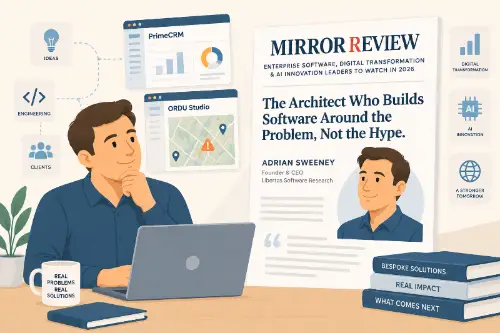
Libertas Software Research has been featured in Mirror Review's Enterprise Software, Digital Transformation & AI Innovation Leaders to Watch in 2026 list, with a profile on our founder, Adrian Sweeney.
Newsletter
Connect on LinkedIn